
Integrated Domain
Renewal Notifications
ClientExec Domain Registrar Plugin
with ClientExec.
Free ClientExec module, set up in 10 minutes. Manage domain and hosting operations from one simple, user-friendly panel.
The Domain Name API ClientExec plugin is a free registrar plugin that connects ClientExec to Domain Name API, an ICANN-accredited registrar (IANA ID 1601). It automates domain registration, renewal, transfer, nameservers, contact updates, WHOIS privacy and EPP codes for 800+ extensions. It also imports your existing domains and prices. Download it from GitHub. Then enter your Reseller ID in the plugin's Username field and your API Key in its Password field.
- Free Module
- 800+ TLDs
- Automatic Billing
- Automatic Renewal
- Nameserver Management
- WHOIS Privacy
Free module • Live in 10 minutes • Start selling today
Free ClientExec module
800+ TLDs
40K+ active resellers
23+ years of experience
Full automation
White-label panel
ICANN accredited
What is Clientexec?
Clientexec is a hosting management panel. It lets hosting companies manage all billing and customer tasks from one screen. It is known as web hosting billing software. It makes many tasks simple, from new sign-ups to automatic payment tracking. This billing tool is built for hosting companies. It saves you time and cuts the risk of errors. With Clientexec, key needs such as customer support, package management, and payments stay well organized.
Download the Latest
ClientExec Plugin
ClientExec Plugin
V4.0.6
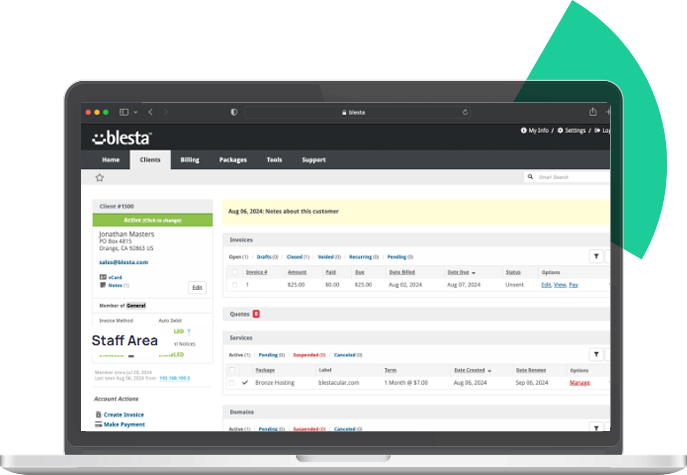
Domain Name API ClientExec Module
Clientexec will automate your Domain, Hosting, SSL, and Server services.


Support for 800+
ccTLDs and gTLDs
ccTLDs and gTLDs

Advanced WHOIS
Privacy Control
Privacy Control

Auto-Invoicing
Integration
Integration

Multi-Language &
Currency Support
Currency Support

Reseller Management
via Panel
via Panel

One-Click Backup
& Restore
& Restore

ClientExec Ticket System
with Sync API Logs
with Sync API Logs
Save Time with Clientexec
Simplify your business processes and enhance customer experience with ClientExec domain & hosting management. A simple yet powerful solution for both small and large-scale companies.
Domain &
Hosting
Hosting
Flexible domain management with wide integration support.

Billing
Automation Systems
Automation Systems
Scheduled invoice generation & payment tracking.

Customer Panel Support
Smart support ticket system.

Clientexec License Pricing
Compared to WHMCS and many other hosting management panels, Clientexec is a much more affordable option in terms of pricing. It offers a significant advantage especially for those who want to avoid stretching their budget. One of its biggest features is that there is no user limit within the panel. In other words, no matter how many customers you have on the panel, you don’t need to pay extra. This makes it a highly flexible solution for businesses looking to grow. In contrast, with WHMCS, costs increase as the number of users grows. With Clientexec, you can manage your website more simply and cost-effectively without dealing with such limitations.
Clientexec Advanced Support Panel
Clientexec’s advanced support panel lets you track user requests quickly and well. You can talk to customers right in the panel, with no outside tool. Tickets are routed by department, so each request goes to the right team on its own. This makes tasks easier to track. Priority options highlight urgent requests, so you can answer them faster. Reply templates and automatic replies cut the work of support staff and speed up support as a whole.
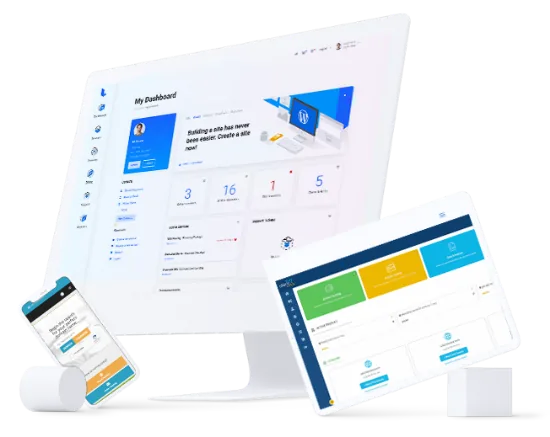
Clientexec Hosting Management Panel

WHOIS Management
Instantly view and edit domain WHOIS information when needed.

Auto Renewals
Domain renewals are invoiced on their own and renewed as soon as payment arrives.

Domain Synchronization
Domain dates and statuses sync every day. Transfers run right away and on their own.

Free Domain
Register domains for free with selected hosting packages.

Whois Protection
Provide your customers with WHOIS protection and allow them to update their info whenever needed.

WHOIS Lookup
A built-in page lets you look up the WHOIS data of domains with ease.

Domain Lookup
Use domain search to check the availability of domains.

Management Portal
Customers can manage their domain registrations and settings in a self-service portal.
ClientExec Registrar Plugin at a Glance
The Domain Name API ClientExec registrar plugin is free; you pay only for the domains you register. Latest release: V4.0.6
| Requirements | PHP 7.4 or higher (8.1 recommended) with the cURL and JSON extensions; for ClientExec itself, see ClientExec’s official requirements |
|---|---|
| Authentication | Reseller ID and API Key from your Domain Name API panel → API Settings (your panel login details will not work here) |
| Supported operations | registration, transfer and renewal; nameservers and child nameservers; contact (WHOIS) updates; WHOIS privacy; registrar lock; EPP codes; domain and price sync; import of existing domains |
| Download | GitHub: domainreseller/clientexec-dna |
| .tr domains | Map the TR ID Number, Tax Number and Tax Office custom fields; they are needed only for .tr registrations. |
| Domain prices | Wholesale prices for 800+ extensions: Domain Prices |
Related Guides
Common Questions
Clientexec FAQs
Clientexec is a full system for customer management, billing, and support automation. It is built for web hosting companies and similar service providers. Its built-in features include customer account tracking, automatic invoices, payment management, support tickets, and domain and service management. It is made to help you run user tasks and service work more smoothly.
For domain resellers, ClientExec connects directly to Domain Name API through a registrar plugin on GitHub. Once connected, the API handles domain registrations, renewals, transfers, nameservers and WHOIS updates for you. No manual work is needed.
Clientexec stands out for its low-cost license, its easy interface, and its core automation. This makes it a strong option, mainly for small and mid-sized hosting resellers.
💡 Clientexec is an ideal choice for small to mid-sized hosting resellers who need straightforward workflows and a budget-friendly platform. Domain Name API's module supports Clientexec with the same feature depth as WHMCS, Blesta, and HostBill.
The Domain Name API ClientExec plugin is available on GitHub. It needs PHP 7.4 or higher (PHP 8.1 recommended) with the cURL and JSON extensions.
Installation steps:
- Download the latest release from GitHub Releases. Do not use the green “Code → Download ZIP” button — it downloads the development branch.
- Upload the plugin files to the registrar plugins folder of your ClientExec installation.
- In the ClientExec admin panel, go to Settings > Plugins > Domain Registrar and find the DomainNameApi plugin.
- Enter your Reseller ID in the “Username” field and your API Key in the “Password” field. Both are in your Domain Name API panel → API Settings; your panel login details will not work here.
- Save the settings and check that the connection is accepted.
- Set prices for the TLD extensions you want to sell or import them from Domain Name API, and import your existing domains if needed.
- If you sell .tr domains for the Turkish market, configure the custom client fields for TR ID Number, Tax Number and Tax Office — the .tr registry requires them.
Note: Always back up existing plugin files before upgrading.
💡 After setup, make sure domain sync runs. Without it, ClientExec's expiry dates drift away from Domain Name API's registry data. Then billing can happen on the wrong dates.
To run ClientExec with the Domain Name API plugin, you need:
- PHP 7.4 or higher (PHP 8.1 recommended)
- the PHP cURL and JSON extensions
For ClientExec itself (database, web server, SSL), see ClientExec's official system requirements.
For .tr domain sales in the Turkish market, configure custom client fields for TR ID Number, Tax Number and Tax Office in ClientExec. The .tr registry requires them — without them, .tr registrations are rejected.
Always check the plugin's GitHub page for the current requirements, as they may change with new ClientExec or PHP releases.
Yes. Once the Domain Name API plugin is configured in ClientExec, the following operations are handled automatically via API:
- domain registration and instant activation
- domain renewal and billing
- domain transfer with EPP code support
- nameserver and child nameserver management
- WHOIS contact information updates
- WHOIS privacy and registrar lock
- domain and price synchronization, and import of existing domains
On the hosting side, ClientExec works with cPanel/WHM, Plesk, DirectAdmin and other major control panels. It can create, suspend and close hosting accounts on its own, next to domain automation.
Customers manage their domains, nameservers and WHOIS data directly through the ClientExec client portal. DNS record management is not part of the plugin.
Key advantages of Clientexec include:
- User-Friendly Interface: Easy to use for both admins and customers.
- Automation and Integration: Automatic invoices, payment tracking, and a support ticket system. It also connects to third-party apps such as popular payment gateways.
- Customer Portal: Self-service portal that allows clients to manage services, billing history, and support tickets.
- Advanced Reporting: Detailed reports on your business and finances.
- Scalability: Its modular design grows with your business.
- Security: Up-to-date security protocols and data backups keep customer data safe.
💡 Clientexec's modular design gives flexibility to resellers who need special billing flows or custom integrations. Its low-cost license can cut total cost of ownership (TCO) a lot for new resellers, compared with subscription-based platforms.
For payments, Clientexec supports PayPal, Authorize.Net, 2Checkout, credit cards, bank transfer, and many regional payment gateways. It works with all banks and credit cards in Turkey. Multi-currency invoices are built in. Customers can pay in their local currency, while your Domain Name API costs are in USD.
On the control panel side, Clientexec works with all major hosting control panels: cPanel/WHM, Plesk, DirectAdmin, and others. It can create, suspend, and close hosting accounts on its own, next to domain management.
💡 Multi-currency support plus Domain Name API's costs in USD make margins easy to manage. Set your cost currency to USD in the Domain Name API module and set your markup percentage. Then let Clientexec convert prices for your customers. You no longer need to reprice by hand when exchange rates move. This helps most if you serve Turkish, MENA, or Central Asian markets.
Clientexec creates invoices and sends payment reminders on its own, based on each product's billing cycle. For domain renewals, Clientexec checks expiry dates and creates renewal invoices before the domain expires. If auto-renewal is on and the customer has a valid payment method, the renewal runs on its own.
You can fully customize payment reminders. Set several reminders at different times before and after the due date, each with its own email template. Unpaid invoices can suspend the service on a schedule you choose.
💡 Set at least 3 domain renewal reminders: 30 days, 14 days, and 3 days before expiry. Also turn on domain sync in the Domain Name API module. Then Clientexec always has the right expiry dates from the registry. Old expiry dates in Clientexec come from turned-off domain sync. They are the top cause of wrong renewal bills and domains that drop without warning.
Yes. Clientexec has a built-in support ticket system. Customers can send, track, and get answers to support requests right from the client portal. The system supports routing by department, priority levels, and creating tickets by email.
You can customize support ticket flows. For example, you can send domain transfer requests to a set team, or add escalation rules for unpaid invoice reminders.
For domain issues, Clientexec's module log records every API request and response between Clientexec and Domain Name API. This makes it easy to find and fix failed domain tasks. In most cases you will not need to escalate to support.
💡 Train your support team to check Clientexec's module log before they send domain issues to Domain Name API. The log entry for a failed domain task shows the exact API response. Most of the time the error explains itself (invalid EPP code, registry lock, low balance, .tr ID mismatch). Add this log part to any support ticket you open with Domain Name API. It speeds up the fix a lot.
You can access your invoice history as follows:
- Via the Client Panel: After logging in, customers can go to "Invoices" or "Account Operations" to view a list containing invoice number, issue date, and payment status.
- Admin Panel: Admins and support teams can search, filter, and report invoice data using advanced tools.
- Detailed Pages: Clicking on an invoice reveals detailed breakdowns including service descriptions, taxes, and fees.
To cancel a service, the customer picks it in the client or admin panel and uses the "Cancel Service" option. The system tells the customer and records the action. A cancellation may not be undone, so read the service terms carefully first.
Note: For domain services, the cancellation action does not affect the domain's status in Domain Name API. The domain will drop at expiry if not renewed.
💡 Clientexec's invoice history also helps you track domain renewal dates. Every domain task run through the Domain Name API module shows up in the right customer invoice on its own.
These hosting automation platforms are well maintained and fully work with Domain Name API:
- WHMCS: largest ecosystem, monthly subscription, global standard.
- Blesta: open-source-friendly, lifetime license, built for developers.
- HostBill: enterprise-grade, 150+ integrations, one-time or subscription license.
- WiseCP: modern UI, focused on Turkey and MENA, lifetime license.
All four platforms have their own Domain Name API registrar modules at github.com/domainreseller. Each one gives you the same domain automation.
The right choice depends on your market, your team's technical skills, and your cost model. It does not depend on domain automation, which is the same on every supported platform.
💡 Choosing between Clientexec and its alternatives for a domain reseller business? Clientexec wins on low entry cost and ease of use. Blesta wins on long-term cost (lifetime license) and developer freedom. WHMCS wins on the size of its ecosystem and third-party integrations. WiseCP wins for the Turkey and MENA markets. Domain Name API supports all four with the same quality of integration.